The Free Korean Reading Stack: How Far You Get Without Installing Anything
· 12 min read
Most guides to Korean tools are shopping lists. They tell you which subscription to buy, and they are usually written by someone who wants you to buy one.
This one is the opposite. It is a walkthrough of what you can actually do with free browser tools when you hit a line of Korean and want to understand it, plus an honest account of the exact points where free stops working.
We build one of these tools, so treat the recommendations with the suspicion they deserve. The parts of this article that are worth your time are the limits, and there are more of those than most tool pages admit.
The four steps, and which ones are free
Understanding a line of Korean you did not write is four separate jobs, and people who feel stuck are usually stuck on only one of them.
You have to get the text into a box you can work with. Then you need to know how it is read, then how it actually sounds when a person says it, then what the words mean.
Three of those four are solved problems with free tools, and one of them is not. The interesting question is which one, so here is the map before the detail.
| Step | Free tool exists | Where it breaks |
|---|---|---|
| Get the text | Yes, if you can select it | Screenshots and burned-in subtitles |
| Read it aloud | Yes — romanization | Tells you nothing about meaning |
| Hear it right | Yes — sound-change rules | No audio, no speaker rhythm |
| Understand it | Partly — dictionary entries | Inflected forms, slang, context |
Step 1 — getting the Korean out of wherever it is
If the Korean is selectable text on a page, this step is trivial and you can skip ahead. Copy it, paste it into any of the tools below, and you are done in two seconds.
The step turns hard when the Korean is inside an image. Burned-in video subtitles, a screenshot of a group chat, a menu photo, a fan-account graphic — none of that can be selected, and that is where most people give up.
We built the tool for exactly this case, and it is on now. It lives on the front page — the photo button on the box at the top. Pick a screenshot or take a photo, and it pulls the Korean out and hands it straight to the reader below.
It reads the Korean and nothing else: usernames, English and interface text are dropped before you see the result. It is not a translator, and it does not turn photos into meaning — it gets you to step two.
There is a third case that people forget. Sometimes you do not have the Korean at all, because you heard it rather than read it, and you need to type it from memory.
For that we have a Hangul keyboard that runs in the browser with no install and no system language pack. It uses the standard 2-set layout, consonants on the left hand and vowels on the right, which is what a real Korean keyboard uses.
The useful part is not the keys. It is that the letters stack into syllable blocks as you type, so you can see whether what you remember hearing is actually a word.
Step 2 — the romanizer, and why it disagrees with the spelling
Paste Hangul into /tools/romanize and you get the Latin-alphabet reading back. It runs entirely in your browser, it stores nothing, and it does not ask for an account.
The output follows Revised Romanization, the system on Korean road signs and in government documents. That matters because the alternative systems produce different spellings for the same word, and mixing them is how learners end up confused about which one is right.
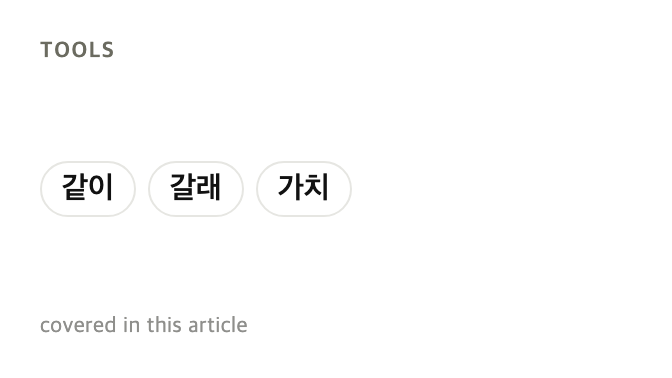
Here is the thing that surprises people. Type 같이 and you get gachi, not gati, even though the second letter is clearly ㅌ.
That is not a bug in the tool. Korean is not read the way it is spelled, and a romanizer that copied the spelling letter by letter would be giving you a reading no Korean person uses.
Romanization has one honest job: getting a sound out of your mouth when you cannot yet read Hangul at speed. It carries no meaning, no grammar, and no information about who the speaker is being polite to.
It is also a crutch that gets harder to drop the longer you lean on it. Use it to survive the first few months, and start weaning off it as soon as the blocks stop looking like shapes.
Step 3 — what the line actually sounds like
/tools/pronunciation does something narrower and more useful than the romanizer. It shows you the written line and the spoken line side by side.
Paste 같이 갈래? and you get 가치 갈래? as the spoken form, then gachi gallae? under it. The middle step is the one that no subtitle tool shows you, and it is the reason you can read Korean fine and still not recognise it when someone says it.
Seven rules cover almost all of this: liaison, tensification, nasalization, lateralization, aspiration, palatalization, and casual contraction. We walk through every one of them in why you can read Korean but can't hear it.
None of the seven require judgment, which is exactly why a machine can apply them for you. That is also the limit of what the machine is doing — it is applying rules, not listening.
The tool has no audio. It tells you which syllables a native speaker produces, and it cannot tell you the speed, the stress, or the swallowed endings of casual speech.
Step 4 — the words
Once you can read the line, you need the words. We publish the National Institute of Korean Language's basic dictionary as browsable pages, split by part of speech.
That is 9,641 entries in total: 6,197 nouns, 2,472 verbs, 486 adjectives, and 486 adverbs. Every entry carries its romanization and its standard pronunciation alongside the English gloss.
The word pages have a search box that accepts Korean, romanization, or English, so you can come at a word from whichever end you have. Filters for topic and for beginner versus intermediate level sit above the list.
Two things about this set are worth knowing before you rely on it. It is not a full dictionary — it is the beginner and intermediate layer, 2,041 entries marked beginner and 7,600 marked intermediate.
And we do not rank the words by frequency, because we do not have frequency data for Korean of the quality a balanced corpus would give. Any site that hands you a confident "top 1000 Korean words" list is guessing more than it admits.
The grammar in the middle
Words alone will not get you through a Korean sentence, because most of the meaning is attached to the ends of them. That is where /grammar comes in, with 326 grammar points drawn from the community-built kimchi-grammar set.
Each point has English meanings and example sentences, and every example carries both its romanization and the way it is actually pronounced. So the sound-change tool and the grammar pages agree with each other, which is not something you can assume across separate products.
The honest limitation is that 326 points is a solid intermediate map and not a complete grammar of Korean. It is a community dataset released under CC BY 4.0, not a reference grammar someone spent a decade compiling.
There is a second limitation that will bite you sooner. The grammar list has no search box — you browse it, which works when you know roughly what you are looking for and does not work when you are staring at an unfamiliar ending.
The words the subtitles soften
One more page exists for a specific and common frustration. English subtitles flatten Korean swearing almost every time, and a scene that was genuinely brutal in Korean reads as merely tense.
/swearing covers 20 entries, each with its actual weight and a note about who can say it to whom. Several of the most common Korean insults started as slurs about disability, and a subtitle has no room to tell you that.
It is deliberately built for recognition rather than production. Twenty entries is a small list, and it is small on purpose — this is not a category where more coverage is better.
A worked example, end to end
Say you screenshot a comment under a music video, and it reads 밥은 먹었어?. Here is the whole loop with nothing installed and nothing paid for.
Because it is a screenshot, step one fails on our stack today, so you retype it using the keyboard or copy it from the comment itself. Then paste it into the pronunciation tool.
You learn that it is said 바븐 머거써? rather than the way it is written, which explains why you never caught it in speech. The romanization line gives you babeun meogeosseo? to say out loud.
Then you take the pieces to the word pages. 밥 is on the nouns page as rice or a meal, and 먹다 is on the verbs page as eat.
What is left is the ending, and that is the part that carries the message. It is casual speech between people who are close, and the sentence is closer to a greeting than a genuine question about food.
Total time is about ninety seconds, and the only part that failed was pulling the text out of the image. That is a fair picture of where this category actually is in 2026.
Where the free stack stops
Five walls, in the order you are likely to hit them.
Inflected forms do not look themselves up. The word search matches the dictionary form, so 들으니까 will not find 듣다 for you. Korean verbs change shape enough that this is a real daily obstacle, not an edge case.
Nothing is saved. These tools have no accounts, no history, and no flashcard export, so every lookup starts from an empty box. If you want your vocabulary to accumulate, you need a separate spaced-repetition habit.
No video overlay. These are paste-in tools, which means you are pausing your show, switching tabs, and losing the thread of the scene. That friction is small once and unbearable forty times an evening.
Slang and abbreviations are mostly absent. A dictionary from a national language institute does not contain fan vocabulary or chat shorthand, which is a large share of what you actually meet online. We cover some of it in K-pop slang and Korean abbreviations, but that is articles rather than a queryable dataset.
Images are out. Repeating this because it is the most common first step and the one we currently cannot serve.
What we cannot fix with any amount of engineering
Some of the gaps above are work we have not done yet. Two of them are different in kind, and it is worth separating them honestly.
The first is that no tool can give you the social read of a line. Whether a sentence is warm, cutting, or quietly putting someone in their place depends on who is speaking to whom, and software sees a string.
We can tell you a line is in casual speech rather than polite speech. We cannot tell you whether dropping to casual speech in that particular scene was affection or contempt, and that distinction is frequently the whole point.
The second is that reading is not listening. Every tool in this article operates on text, so all of them improve your reading and none of them directly improve your ear.
The pronunciation tool narrows that gap by telling you what to listen for, which is genuinely different from nothing. But time spent listening is the only thing that trains listening, and no interface changes that.
Who should not bother with this
If you already read Hangul comfortably and study with a structured course, this stack is mostly redundant. Your textbook has the grammar and your class has the corrections, and a romanizer is a step backwards for you.
If you watch K-content on a phone, browser tools are awkward at best. The whole category is desktop-shaped, and that is a fair reason to skip it entirely until you are at a computer.
And if what you want is a subtitle layer while you watch rather than a paste box, that is a different product category with different trade-offs. We compared the main options, including the ones we do not make, in Language Reactor alternatives for Korean.
FAQ
Do I need an account for any of these tools? No. The romanizer, the pronunciation converter, and the keyboard all run in your browser, and the reference pages are plain pages. Nothing asks you to sign in and nothing is stored.
Is the romanization the same system my textbook uses? It is Revised Romanization, which is the official South Korean system and the one on road signs. Older books sometimes use McCune-Reischauer, which spells the same words differently, so expect occasional mismatches.
Why does the pronunciation tool show a different Hangul line than what I typed? Because Korean is not pronounced the way it is written. The second line is the same sentence respelled the way it is actually said, which is the step that usually explains why a familiar word sounded unfamiliar.
When will the screenshot reader work? It needs an image-service key on the deployment, and nothing else is missing. We would rather say it is off than let you upload a screenshot and watch it fail silently.
How many words and grammar points are there exactly? There are 9,641 dictionary entries across nouns, verbs, adjectives, and adverbs, plus 326 grammar points and 20 entries on swearing. Those are counts from the published data, not marketing rounding.
Can I use these alongside a paid tool? Yes, and that is a sensible setup. A watching tool handles the video, and these handle the lines you want to take apart afterwards, which are two genuinely different tasks.
Is there a Korwid extension as well? Yes, and it is a separate thing from everything in this article. The tools above need no install at all, which is why we wrote about them on their own terms.
Counts and tool states measured on our own site on 2026-08-16. Dictionary data from the National Institute of Korean Language under CC BY-SA 2.0 KR; grammar data from kimchi-grammar under CC BY 4.0.
Read next